


Somebody’s just sent you a long YouTube video, and you don’t have the time (or the interest) to sit through it for an hour.
Most people play it in the background, paying half of their attention, and missing most of the meaning.
Use AI to extract the meaning from a long video in moments.
Example Video:
An interview with Maria Mingallon by the Building Institute Aotearoa, this forty-five minute video covers many important topics relevant to our sector. Giving it your full attention for nearly an hour could be worthwhile.
But, if you don’t have an hour to spare, use one of these 3 techniques to get the gist in a few minutes:
1. Copy/paste this prompt below into Gemini.
(You have to use Gemini, because it’s the LLM created by Google, which owns YouTube. They don’t allow other LLMs to easily scrape YouTube videos.)
Here’s a YouTube link:
https://www.youtube.com/watch?v=BMHxjKPTw2M
Provide a structured, professional summary targeted at an engineering professional:
- Core thesis / main argument (1–2 sentences)
- Technical insights & takeaways (bullet points with clear explanations)
- Actionable recommendations for systems, architecture, tooling, or strategy
- Key metrics, benchmarks, or code / system examples mentioned
- Risks, limitations, and gotchas discussed in the video
- Timestamped list of major segments with brief descriptions
Format the output with section headers, concise bullets, and highlight jargon explained in plain language.
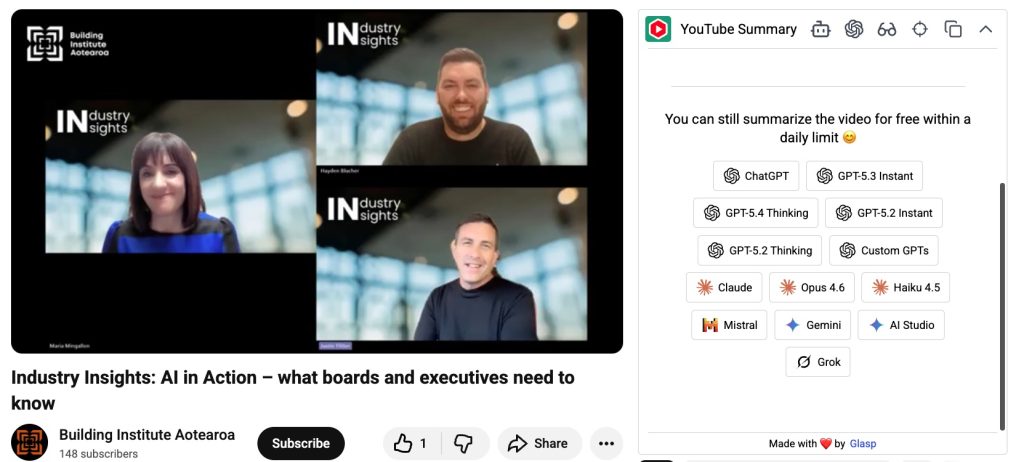
2. Use the Glasp Chrome plugin to get the transcript, and quickly summarise
This plugin, when installed in Chrome, will add a few tools to your sidebar when viewing a YouTube video. You can immediately get the transcript (generated from closed captions) and copy-paste with a click, or enable you to add the transcript to a LLM with one click.
3. Add the video link to NotebookLM, and use the Mind Map in the Studio sidebar
- Copy the YouTube link above.
- Open https://notebooklm.google.com/ while signed in to a Google account.
- Create a new Notebook
- Click on the button with the YouTube icon (it may say ‘Websites’)
- Paste the YouTube link
- Open the Studio sidebar on the right
- Click the MindMap button
- Open the MindMap and expand categories and sub-categories
- Click on any topic to get an AI overview
Try to use one of these three techniques on a YouTube video you have been ‘meaning to watch,’ and see if you can extract the meaning in just a few minutes.